
Top Open Source AI Tools You Should Try in 2026

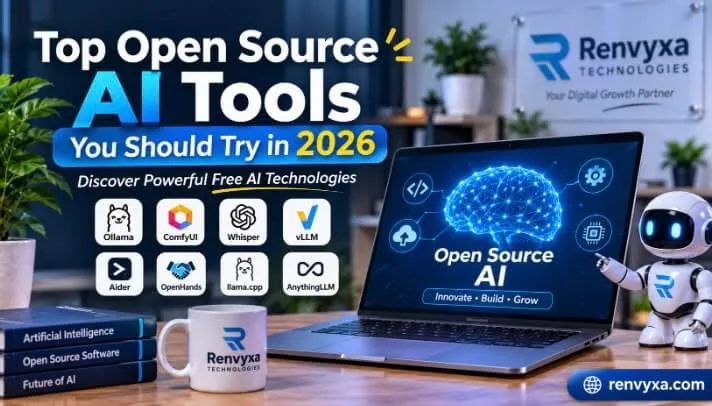
"Discover the top open source AI tools of 2026. Explore powerful, privacy-focused software, local LLMs, and free tools to boost your productivity."
Introduction
If you are looking for the best open source ai solutions, the landscape is evolving faster than ever. Modern open source ai models give developers, businesses, and tech enthusiasts the freedom to build and innovate.
Many popular AI platforms require paid subscriptions or limit their features for free users. However, Open Source AI Tools offer another option. They allow developers, businesses, students, and technology enthusiasts to explore AI software, run models locally, and build customized solutions.
In 2026, open-source AI technology is becoming more powerful and accessible. Many tools offer impressive features for content creation, programming, image generation, data processing, and automation.
In this article, we will explore some of the best open-source AI tools you should try in 2026 and explain how they can improve your productivity.
1. Ollama – Run AI Models on Your Computer
Ollama is one of the most popular tools for running large language models (LLMs) locally. It allows users to download and operate supported AI models directly on their computers without depending entirely on cloud-based services.
With Ollama, users can experiment with different AI models, generate text, answer questions, summarize documents, and build AI-powered applications.
Key Features:
Run supported AI models locally.
Download and manage different language models.
Connect AI models with other applications.
Use a local API for development.
Keep conversations and prompts on your own machine when configured for local use.
Who Should Use It?
Ollama is suitable for developers, AI beginners, researchers, and businesses interested in experimenting with local AI systems.
Website: https://ollama.com/
2. ComfyUI – Create AI Images and Visual Content
ComfyUI is a powerful node-based interface for creating AI-generated images and other visual content. It gives users more control over image-generation workflows compared with many basic AI image generators.
Users can connect different nodes to create customized workflows for image generation, editing, and other supported creative processes.
Key Features:
Generate AI images using supported models.
Build customized visual workflows.
Control different image-generation settings.
Create repeatable creative processes.
Connect different AI components.
Who Should Use It?
ComfyUI is especially useful for graphic designers, digital artists, content creators, and developers who want greater control over AI image generation.
Website: https://www.comfy.org/
3. Whisper – Convert Speech into Text
Whisper is an open-source speech recognition system developed by OpenAI. It can recognize spoken language and convert audio into written text.
It supports multiple languages and can help users with transcription, subtitles, interviews, meetings, and audio-related projects.
For example, content creators can use speech recognition to turn recorded videos into written transcripts. Businesses can also explore it for processing meeting recordings and audio content.
Key Features:
Convert speech into text.
Support multiple languages.
Transcribe recorded audio.
Help generate subtitles.
Integrate speech recognition into applications.
Who Should Use It?
Whisper is a useful option for content creators, students, journalists, developers, and businesses working with audio recordings.
Website: https://github.com/openai/whisper
4. vLLM – High-Performance AI Model Deployment
vLLM is an open-source inference and serving engine designed to run large language models efficiently.
While beginners may prefer simpler AI applications, developers and businesses can use vLLM to deploy AI models and serve requests from multiple users.
It is particularly useful for applications that need reliable performance and efficient GPU utilization.
Key Features:
Efficient language model serving.
High-throughput AI inference.
Support for multiple model architectures.
API-based integration.
Useful for scalable AI applications.
Who Should Use It?
vLLM is suitable for AI engineers, software developers, research teams, and businesses building AI-powered products.
Website: https://github.com/vllm-project/vllm
5. Aider – AI Coding Assistant for Developers
Aider is an AI-powered coding assistant that helps developers work with existing software projects. It operates through the terminal and can connect to supported language models to assist with programming tasks.
Instead of manually writing every line of code, developers can describe the changes they want and use Aider to help edit files, understand code, and improve development workflows.
Key Features:
AI-assisted code editing.
Work with existing code repositories.
Help identify and fix programming issues.
Support multiple programming languages.
Integrate with Git workflows.
Who Should Use It?
Aider is helpful for software developers, programmers, students, and technical teams looking to improve their coding productivity.
Website: https://aider.chat/
6. OpenHands – Build and Automate Software Tasks
OpenHands is an open-source platform focused on AI-powered software development agents. It helps developers explore automated coding workflows, execute development tasks, and work with software projects.
Depending on its configuration and available models, OpenHands can assist with coding, debugging, understanding repositories, and other development activities.
Key Features:
AI-assisted software development.
Automate selected coding tasks.
Work with software repositories.
Support development workflows.
Customize AI-powered coding environments.
Who Should Use It?
OpenHands is a useful option for developers, software companies, and technical teams interested in AI-assisted programming and automation.
Website: https://www.openhands.dev/
7. llama.cpp – Run Language Models Efficiently
llama.cpp is a popular open-source project that allows users to run large language models on different hardware configurations.
One of its biggest advantages is its focus on efficient local inference. It supports CPU-based execution and several hardware acceleration options, making it useful for experimenting with models without requiring an expensive cloud environment.
Key Features:
Run supported language models locally.
Efficient CPU-based inference.
Support for different hardware platforms.
Work with GGUF model files.
Customize model execution settings.
Who Should Use It?
llama.cpp is suitable for developers, AI researchers, and technically experienced users who want greater control over local AI model execution.
Website: https://github.com/ggml-org/llama.cpp
8. AnythingLLM – Chat with Your Documents
AnythingLLM is an AI application that allows users to work with language models and interact with their own documents.
For example, a business can upload supported documents and use an AI-powered interface to search for information, ask questions, and retrieve relevant content.
This approach is especially useful for organizations that manage large amounts of internal information.
Key Features:
Interact with personal and business documents.
Build knowledge-based AI workspaces.
Connect with supported language models.
Support document-based question answering.
Explore AI agents and automation features.
Who Should Use It?
AnythingLLM can benefit businesses, researchers, students, and teams that want to make their documents easier to search and understand.
Website: https://anythingllm.com/
Why Should You Use Open Source AI Tools in 2026?
Open-source AI tools provide several advantages for individuals and businesses. Here are some important reasons to explore them.
1. More Control and Customization
Open-source software often gives users greater flexibility to modify features and customize workflows according to their requirements.
2. Better Privacy Options
Some AI tools allow users to run models locally. This can reduce the need to send sensitive information to external cloud services. However, privacy also depends on how the software is configured.
3. Lower Development Costs
Many open-source AI tools are available without subscription fees. Businesses and developers can experiment with different technologies without immediately investing in expensive software.
Remember that hardware, hosting, electricity, and API usage may still involve costs.
4. Support for Developers
Open-source projects allow developers to explore source code, contribute improvements, build integrations, and develop customized AI applications.
5. Flexible Business Solutions
Businesses can explore open-source AI technology to automate selected processes, improve productivity, and create solutions that match their operational needs.
How to Choose the Right Open Source AI Tool
Choosing the right AI tool depends on your goals, technical experience, and available resources.
Before installing any software, consider these factors:
Your requirements: Decide whether you need AI for writing, coding, image generation, or automation.
System requirements: Check whether your computer has enough RAM, storage, and GPU resources.
Ease of use: Beginners should start with tools that offer simple installation and clear documentation.
Licensing: Review the software and model licenses, especially before using them commercially.
Security: Check how the application stores, processes, and shares your information.
It is also important to remember that open-source software and open-weight AI models are not always the same. Some models provide downloadable weights but have restrictions on their use. Always review the relevant license before building a commercial product.
Conclusion
Open-source AI technology is creating new opportunities for developers, businesses, students, and content creators in 2026. Tools such as Ollama, ComfyUI, Whisper, vLLM, Aider, OpenHands, llama.cpp, and AnythingLLM offer different ways to explore artificial intelligence.
Whether you want to generate images, develop software, convert audio into text, or build customized AI applications, there is an open-source solution worth exploring.
The best approach is to start with one tool that matches your requirements, understand its features, and gradually explore more advanced AI technologies.
At Renvyxa Technologies, we believe that modern technology and intelligent digital solutions can help businesses grow and work more efficiently. We provide professional digital services, including SEO and Guest Posting, to help businesses strengthen their online presence.
Want to grow your business online?
Visit https://renvyxa.com or contact +447346970207 to learn more about Renvyxa Technologies and our professional SEO and Guest Posting services.
 ARTIFICIAL INTELLIGENCE
Cost to Build an Enterprise AI Agent in 2026: Pricing Breakd...
What is the real cost to build an enterprise AI agent in 2026? From MVP proof-of...
 CYBERSECURITY
Cloud Data Protection Strategies for Modern Enterprises in 2...
Learn key cloud data protection strategies to secure enterprise infrastructure,...
 Technology / Digital Marketing
The Ultimate Guide to AI Marketing Tools: How to Scale Your...
Explore the ultimate guide to top AI marketing tools, learn how to scale your te...
 DIGITAL MARKETING
AI Copy-writing Tools for Digital Marketing: How to Scale Co...
Learn how AI copy-writing tools for digital marketing help businesses scale cont...
 DIGITAL MARKETING
Why Guest Posting Is Important for SEO in 2026
Learn why guest posting is important for SEO in 2026. Build high DA back-links a...
 Technology / Digital Marketing
The Ultimate Guide to AI Marketing Tools: How to Scale Your...
Explore the ultimate guide to top AI marketing tools, learn how to scale your te...